Conquering Lag: A Deep Dive into Gaming Ping Boosters like WTFast, Mudfish & GearUP
For competitive gamers and casual players alike, few things are as frustrating as high ping. That split-second delay between your action and the game's response can mean the difference between victory and defeat, or simply ruin the immersion. Whether you're a lightning-fast assassin struggling with ani-cancels in an MMORPG or an FPS enthusiast needing pinpoint accuracy, inconsistent latency can make a game feel unplayable. This is where **ping reduction software for gaming** steps in, promising smoother connections and a more stable online experience. But with options like WTFast, Mudfish, and GearUP Booster vying for your attention, how do you choose the best tool to conquer your lag?Understanding Gaming Ping Boosters and Why They Matter
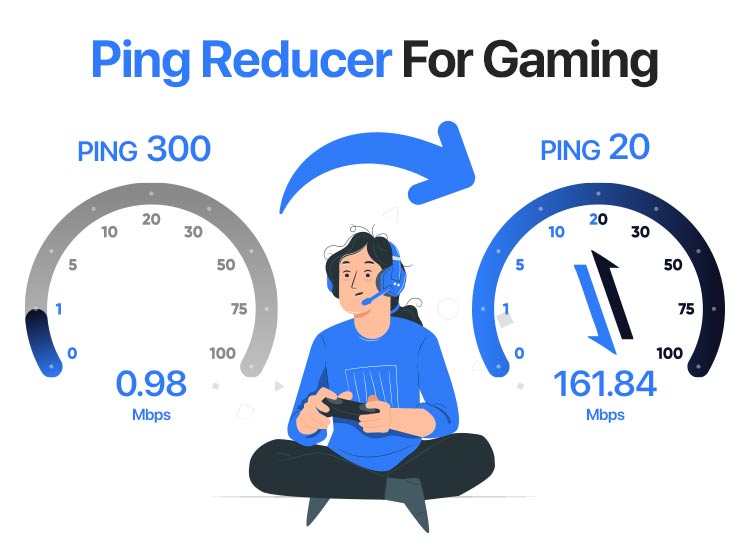
Ping, measured in milliseconds (ms), is the time it takes for data to travel from your computer to the game server and back. A lower ping means a more responsive game. While your internet service provider (ISP) and geographical distance to the game server are primary factors, ping reduction software aims to optimize the route your data takes. These specialized programs, often referred to as "gaming VPNs" or "game boosters," don't magically make your internet faster. Instead, they work by:- Optimized Routing: Bypassing congested internet pathways by routing your traffic through dedicated, optimized servers closer to the game server.
- Reducing Packet Loss: Minimizing lost data packets that cause stuttering and disconnects.
- Stabilizing Connection: Perhaps the most crucial benefit for many. Even if raw ping numbers don't drop dramatically, a stable connection without sudden spikes vastly improves the gaming experience.
To learn more about how these systems function and if they’re the right fit for your setup, check out our detailed analysis: Do Gaming Ping Boosters Work? Finding Your Best Solution.
WTFast: The Veteran Ping Stabilizer
WTFast has long been a prominent name in the world of gaming network optimization. Many long-time gamers swear by its ability to stabilize their connection, even if the raw ping reduction isn't always revolutionary. Users often report a more consistent experience, which can be invaluable for games requiring precise timing and quick reflexes. Historically, WTFast has been known for its dedicated focus on gaming traffic, intelligently routing your data through its global network of optimized servers. While some users might only see a modest 10-20ms average ping reduction, the key benefit lies in eliminating or significantly reducing those annoying, game-breaking ping spikes. This stability ensures that your connection remains predictable, allowing you to execute actions without unexpected delays. One point to consider is its licensing model; WTFast traditionally operates on a single-computer license. While its official subscription can be on the pricier side, savvy users have found ways to acquire subscriptions at a more affordable rate through third-party retailers like G2A. WTFast often offers free trials, making it a solid candidate for initial testing before committing to a purchase. Its interface is generally user-friendly, allowing for a relatively straightforward setup compared to some more complex alternatives.Mudfish: The Budget-Friendly, Flexible Option
For gamers keenly aware of their budget, Mudfish often emerges as a highly attractive alternative. Breaking away from traditional subscription models, Mudfish utilizes a unique credit-based system. Instead of a flat monthly fee, you purchase "data credits" and are charged based on the amount of data transferred through their network. This can translate to incredibly low monthly costs for individual games – sometimes as little as $0.93 per month for specific titles, with a minimum recharge typically around $3. The primary appeal of Mudfish is its exceptional affordability, making it one of the cheapest solutions available for targeted game optimization. Beyond just gaming, Mudfish is also known for offering full VPN services, providing additional utility for users who might need a VPN for other non-gaming related tasks. However, this cost-efficiency comes with a slight trade-off: configuration. Mudfish is generally considered more complex to set up compared to its competitors. It requires a bit more technical understanding to properly configure routes for specific games, which might deter users looking for a simple "install and play" solution. Despite the steeper learning curve, its strong performance, low cost, and flexibility make it a favorite among those willing to invest a little time in optimization. If you're looking to minimize expenditure without compromising on effectiveness, Mudfish is definitely worth exploring.Curious about other cost-effective ways to improve your gaming experience? Explore more options in our article: Free Trials & Cheap Options: Best Ping Reduction for Gamers.
GearUP Booster: Multi-Platform and Adaptive Technology
Stepping into the modern era of game optimization, GearUP Booster presents itself as a versatile and technologically advanced solution. What sets GearUP apart is its exclusive "Adaptive Intelligent Routing" (AIR) technology. This proprietary system is designed to dynamically analyze network conditions and choose the optimal data path in real-time, ensuring the best possible gaming network regardless of your location or the game server you're connected to. This intelligent adaptability aims to provide consistent performance even as network conditions fluctuate. Another significant advantage of GearUP Booster is its comprehensive multi-platform support. While many ping reduction software options focus solely on PC, GearUP extends its reach to a wide array of devices, including:- PC: Standard desktop and laptop gaming.
- Mobile: Android and iOS smartphones and tablets.
- Consoles: PlayStation (PS4, PS5), Nintendo Switch, Xbox (Xbox One, Series X/S).
- VR Headsets: Oculus Quest, Pico.
The "It Depends" Factor: Why Personal Trials Are Crucial
One of the most critical takeaways when evaluating ping reduction software is that there's no universally "best" option. As countless gamers have experienced, what works wonders for one person might be entirely ineffective for another, even if they live just a few kilometers apart. This variability stems from several factors:- Individual ISP Routing: Your internet service provider's internal routing and peering agreements significantly impact how your data travels.
- Geographical Location: Your physical distance from the game server, combined with your local network infrastructure, plays a huge role.
- Game Server Location: The specific data center hosting your game can vary, affecting the optimal routing path.
- Network Congestion: Different times of day or specific network segments might experience varying levels of congestion that some boosters handle better than others.
- Pingzapper: Often provides a free one-week trial and is relatively easy to use. Some users reported chat issues or crashes, but raw performance can be good.
- Mudfish: Incredibly cheap, as discussed, and offers a unique credit system. Configuration can be tricky, but its low cost makes the effort worthwhile if it performs well for you.
- WTFast & NoPing: Generally considered among the costliest, but both offer trials. WTFast is known for stability. NoPing sometimes provided excellent raw ping reduction for some users, but there have been reports of chat breaks and crashes, and some concerns regarding its origins (along with ExitLag) that warrant caution and personal research before committing.