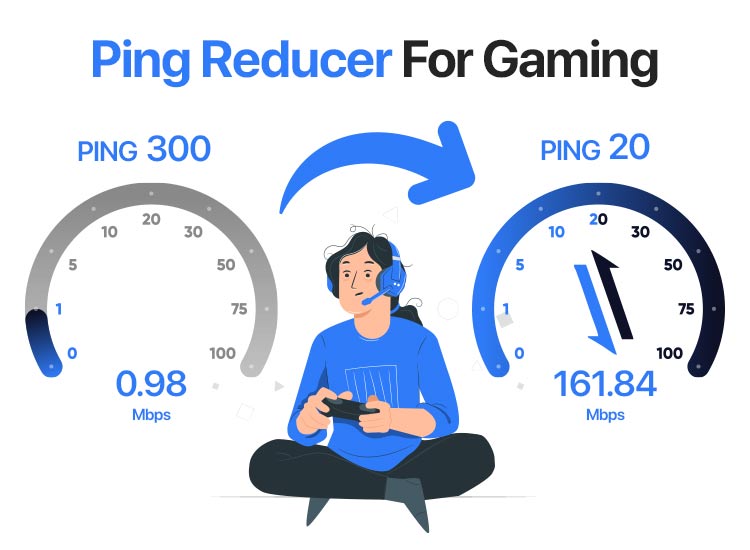
Unlock Smoother Gameplay: The Quest for Ping Reduction in Gaming
Few things are as frustrating for a gamer as high or unstable ping. Imagine trying to execute a critical skill in an MMORPG, only for your character to stutter, or landing a headshot in an FPS, only for the hit registration to feel delayed. This isn't just an annoyance; it can be the difference between victory and defeat, especially in competitive titles. For many, particularly those far from game servers, like a player in Northern Ireland connecting to European servers or someone in Canada playing on US or even international realms, a normal ping of 110-150ms can make precision mechanics, like "ani-cancelling," feel nearly impossible. This is where ping reduction software for gaming enters the scene, promising to smooth out your connection and deliver a more responsive experience.
But do these tools truly deliver on their promise? And with so many options touting free trials and cheap subscriptions, which one is the best fit for you? In this comprehensive guide, we'll delve into how these solutions work, examine the top contenders, and provide actionable advice to help you find the best way to conquer your latency issues.
Understanding Ping and How Gaming Optimization Software Helps
At its core, "ping" is a measurement of latency—the time it takes for a signal to travel from your computer to a game server and back. Measured in milliseconds (ms), a lower ping means a faster, more responsive connection. High ping can be caused by various factors:
- Geographic Distance: The further you are from the game server, the longer it takes for data to travel.
- Internet Congestion: Your data might travel through overloaded routes, causing delays.
- Suboptimal Routing: Your Internet Service Provider (ISP) might not always choose the most direct path to the game server.
Ping reduction software for gaming, often referred to as "gaming VPNs" or "game boosters," doesn't miraculously create a faster internet connection or magically shorten physical distances. Instead, they work by optimizing the route your game data takes to the server. They achieve this by:
- Intelligent Routing: These services maintain a network of optimized servers. When you connect, your game traffic is routed through one of their servers that offers a more direct, less congested path to your desired game server. GearUP Booster, for example, highlights its "Adaptive Intelligent Routing" (AIR) technology, which dynamically finds the best network path for your game.
- Dedicated Network: By using a dedicated gaming network, your traffic often bypasses the public internet's more congested routes, leading to greater stability and sometimes lower latency.
The primary benefit isn't always a drastic reduction in ping numbers (though 10-20ms can make a noticeable difference). Crucially, these programs often provide significantly greater ping stability. For a player experiencing spikes from 110ms to 150ms and beyond, a stable 90ms or even 100ms can feel like a world of difference, allowing for consistent input and more reliable gameplay.
Top Contenders in the Ping Reduction Arena: Free Trials & Cheap Options
The market for ping reduction software for gaming is bustling, with several services vying for your attention. Each has its own strengths, weaknesses, and pricing model. The effectiveness, however, is highly personal, as we'll discuss. For a more in-depth comparison, check out our article: Gaming Ping Boosters: WTFast, Mudfish & GearUP Compared.
WTFast
- What it is: One of the longest-standing and most recognized gaming optimization services. It aims to provide a smoother, more stable connection for your games.
- Pros: Many users report excellent ping stability. It's generally user-friendly.
- Cons: Often considered one of the more expensive options if purchased directly. Licenses are typically for a single computer.
- Cost Insight: While official site subscriptions can be pricey, it's sometimes possible to find discounted subscriptions on marketplaces like G2A.
Mudfish
- What it is: A highly flexible and remarkably affordable ping reduction solution that operates on a pay-per-traffic model.
- Pros: Incredibly cheap, often costing less than $1 per month for specific games like Blade & Soul, once configured. It also offers "Full VPN" mode for general internet use beyond gaming.
- Cons: Configuring Mudfish can be more complex than other services, making it less ideal for beginners. It requires a minimum recharge (around $3), even if your monthly usage is less.
- Ideal For: Gamers on a tight budget who are comfortable with a bit of technical setup.
Pingzapper
- What it is: Another established game tunnel service.
- Pros: Offers a generous 1-week free trial, making it easy to test its effectiveness without commitment. Generally easy to use.
- Cons: Some users have reported issues with in-game chat functionality breaking while using Pingzapper.
NoPing and ExitLag
- What they are: Both are gaming VPN services, originally from Brazil, popular in various regions.
- Pros: Some users have reported NoPing providing excellent raw ping performance. ExitLag is also generally well-regarded for its optimization.
- Cons & Concerns: There have been discussions and concerns within the gaming community regarding these services, particularly rumors of them potentially using user PCs for "coinmining" or having other shady practices. It's crucial to exercise caution and do your own thorough research before committing to these. Users have also reported NoPing causing game crashes more frequently.
GearUP Booster
- What it is: A modern game booster emphasizing its "Adaptive Intelligent Routing" (AIR) technology.
- Pros: Claims to guarantee the best gaming network regardless of location or server. A significant advantage is its multi-platform support, extending beyond PC to mobile (Android/iOS) and consoles (PlayStations, Switch, Xbox, Oculus Quest, Pico).
- Ideal For: Gamers who play across multiple devices and seek a unified boosting solution.
The Golden Rule: Try Before You Buy (Leveraging Free Trials)
This is arguably the most crucial piece of advice when considering ping reduction software for gaming. As observed by countless gamers, the effectiveness of these programs is highly subjective. What works wonders for one person might be completely ineffective, or even detrimental, for another—even for friends living just a few kilometers apart with similar internet connections. This variability makes relying solely on reviews risky.
Thankfully, most reputable services understand this and offer some form of a free trial. This is your opportunity to conduct real-world tests. Here's how to make the most of them:
- Identify Your Problem Games: Focus your testing on the games where you experience the most severe ping issues.
- Consistent Testing: Test each service under similar conditions. Play during peak internet usage hours (e.g., evenings) when congestion is highest.
- Monitor Both Ping & Stability: Don't just look for a lower number. Pay close attention to how stable your ping remains. Are those frustrating spikes gone or significantly reduced?
- Test Across Servers: If your game offers different regional servers, test how the software performs on each.
- Keep Records: Jot down your average ping and stability with and without the software for each game.
Pingzapper offers a 1-week free trial, and most other services like WTFast, Mudfish (with its very low entry cost), and GearUP Booster also have accessible trial periods or very low-cost entry points. Don't hesitate to cycle through them to see which one truly makes a difference for your specific setup and location. For more insights on this personalized approach, consider reading: Do Gaming Ping Boosters Work? Finding Your Best Solution.
Beyond Software: Other Ways to Reduce Ping and Improve Connectivity
While ping reduction software for gaming can be a powerful tool, it's essential to ensure your basic setup is optimized. No software can fix a fundamentally flawed connection. Here are other crucial steps to take:
- Go Wired: If you're gaming over Wi-Fi, you're introducing unnecessary latency and instability. Connect your PC or console directly to your router with an Ethernet cable. This is the single most impactful change for local network performance.
- Close Background Applications: Streaming services, large downloads, or even numerous browser tabs can hog bandwidth. Close anything unnecessary while gaming.
- Update Network Drivers: Ensure your network adapter drivers are up to date.
- Check Your Router/Modem: An old or low-quality router can be a bottleneck. Consider upgrading if yours is several years old. Rebooting your router regularly can also help clear minor issues.
- Optimize DNS Settings: Switching from your ISP's default DNS servers to public ones like Google DNS (8.8.8.8, 8.8.4.4) or Cloudflare DNS (1.1.1.1, 1.0.0.1) can sometimes improve routing and response times.
- Consider Your ISP Plan: While speed isn't directly ping, a more stable, higher-tier internet plan with lower contention ratios can indirectly contribute to better ping consistency.
- Geographic Limitations: Acknowledge that if you're geographically very far from a game server, there's a physical limit to how low your ping can go. Software can optimize, but not defy physics.
Conclusion
For gamers battling high and unstable ping, ping reduction software for gaming offers a legitimate and often effective solution. Tools like WTFast, Mudfish, Pingzapper, GearUP Booster, and others aim to stabilize your connection and potentially lower your latency by optimizing your data's route to game servers. While concerns exist with certain providers like NoPing and ExitLag regarding their underlying practices, the overall market provides valuable options.
The key takeaway, however, remains consistent: due to the highly individual nature of internet connections and routing paths, personal testing is paramount. Leverage free trials and low-cost entry points to experience firsthand which solution offers the most significant improvement for your specific games and location. Combine these software solutions with sound internet practices—like using a wired connection and closing background applications—and you'll be well on your way to a smoother, more responsive, and ultimately more enjoyable gaming experience.